I'm going to be a dad, so we built HelloBaby
I got some good news recently. I found out I’m going to be a dad.
My wife and I started asking friends and searching online right away about what we needed to do. While I was researching it online with AI, I noticed the process was made of a lot of steps, rights, benefits, and procedures that change depending on your situation. We realized we were getting into something complicated.
My first thought was that we could put everything in the shared calendar my wife and I use. But I realized a shared calendar wouldn’t make it easy enough to keep track of documents, health check-ups, applications and procedures. We also live in Austria and our German isn’t good enough, so understanding all of these procedures was going to be hard.
That’s when the idea came to me: why not build a simple web app, made just for us, where both the mother and the father follow the baby’s arrival from their own profiles and can easily understand the whole process?
One prompt to Fable
I got to work right away. Well, by “got to work” I mean I described everything I wanted to the Claude Fable model in one prompt, and asked it to build this web project on my existing server and test it. I told it to hand it over to me once it was sure everything worked. That’s how the baby.heyender.dev subdomain was born.
Fable 5.2 came out recently and it’s the best AI model in its field, so it did a very good job and built an app where everything worked exactly as I expected.
When I tested it, I noticed the app looked more like a task tracking app, and the interface had too much text and was complicated. But every function did exactly what I wanted. So I gave Fable the task of improving the design and the user experience of the whole app.
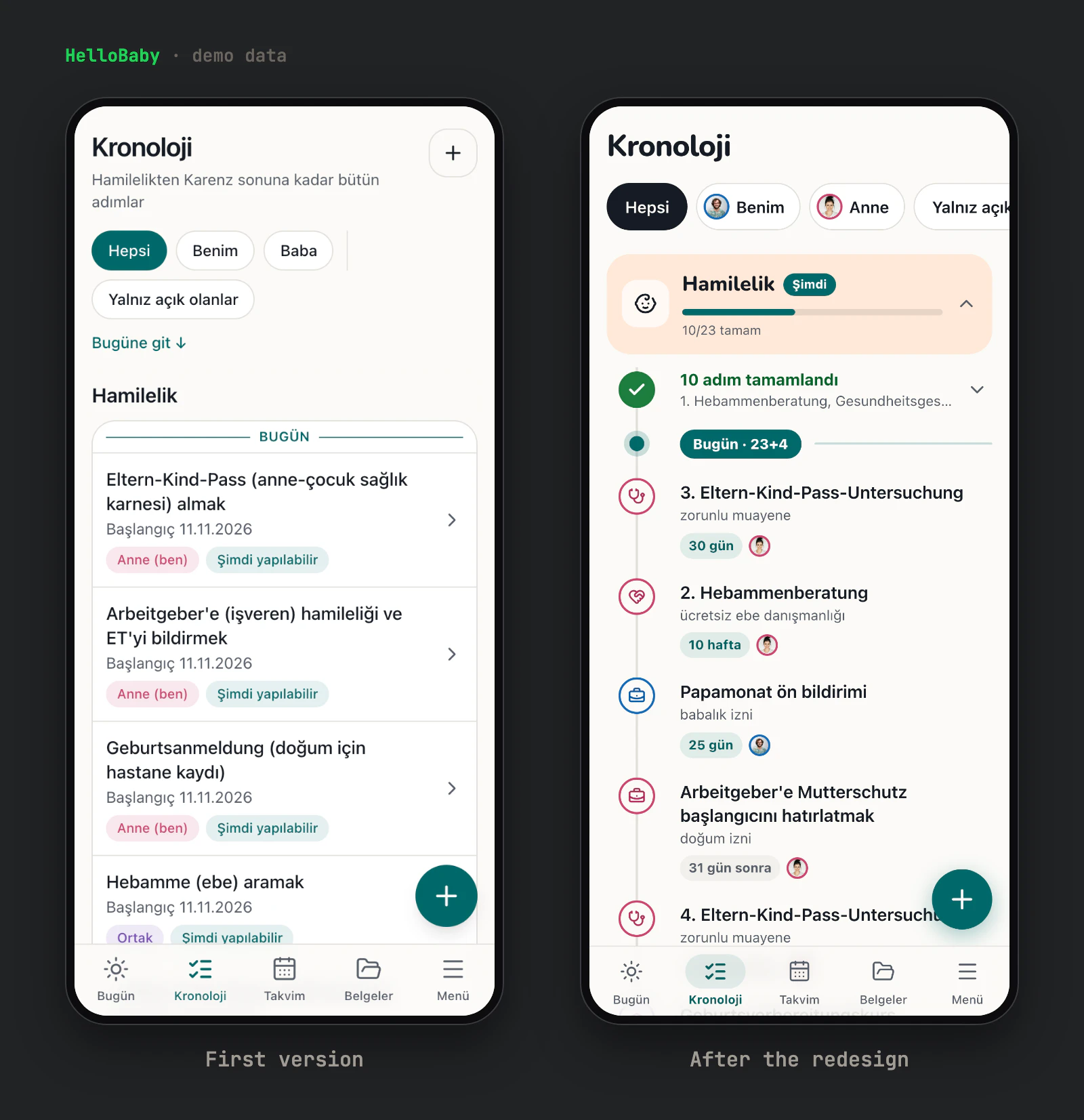
The result is the app in the screenshots below. From the first commit to the version in these screenshots took three days.
Only the two of us can use it, and it only supports Turkish. As you’ll see in the screenshots, it has a glossary so we can follow the German terms, and it uses German for the procedures. The screenshots and the video use made-up demo data, not ours.
What the app can do
Beyond that, the app can do the following:
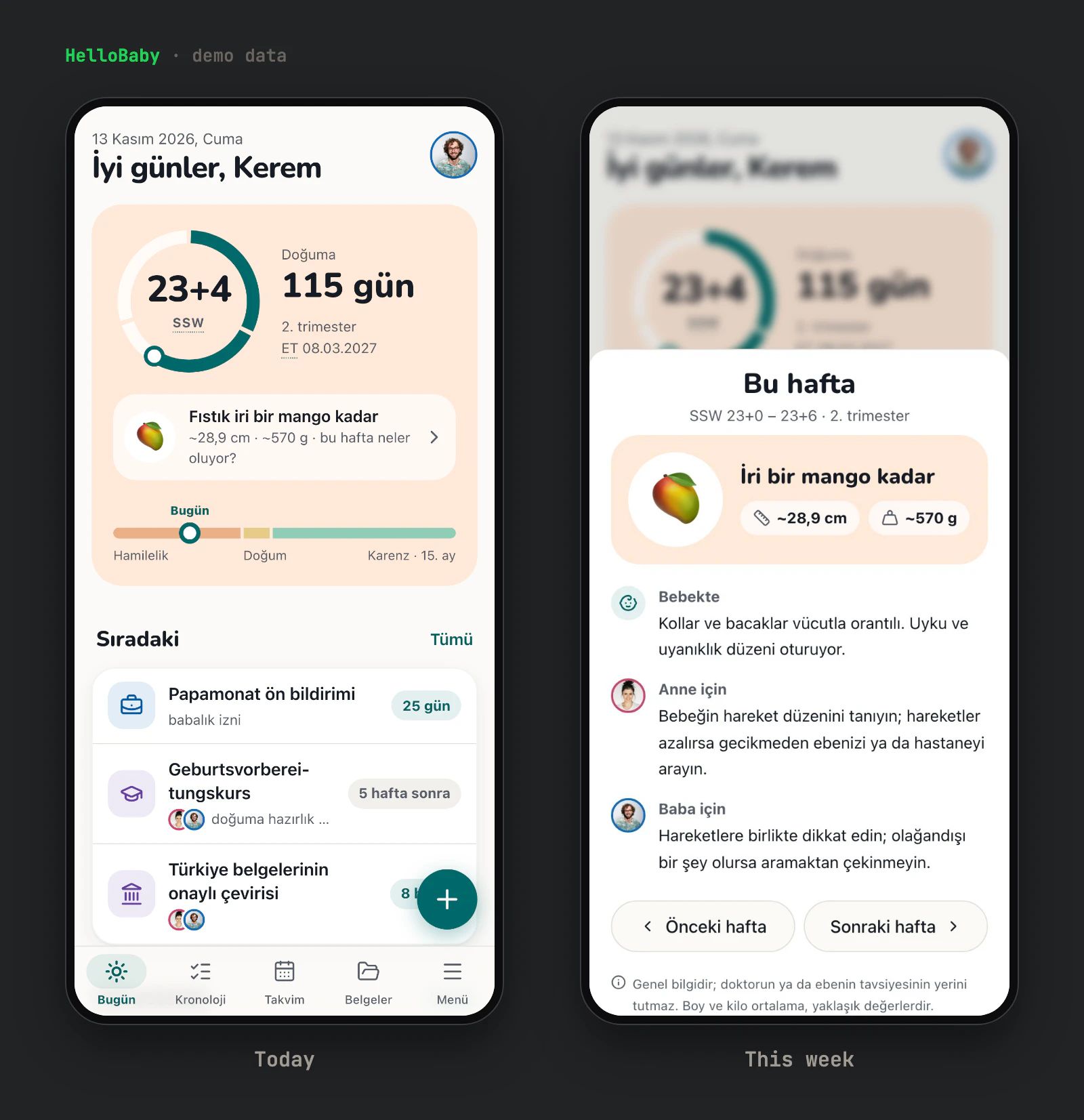
- It comes with the whole process for a birth in Austria already filled in: 48 steps across pregnancy, the birth and parental leave, up to the baby’s 15th month.
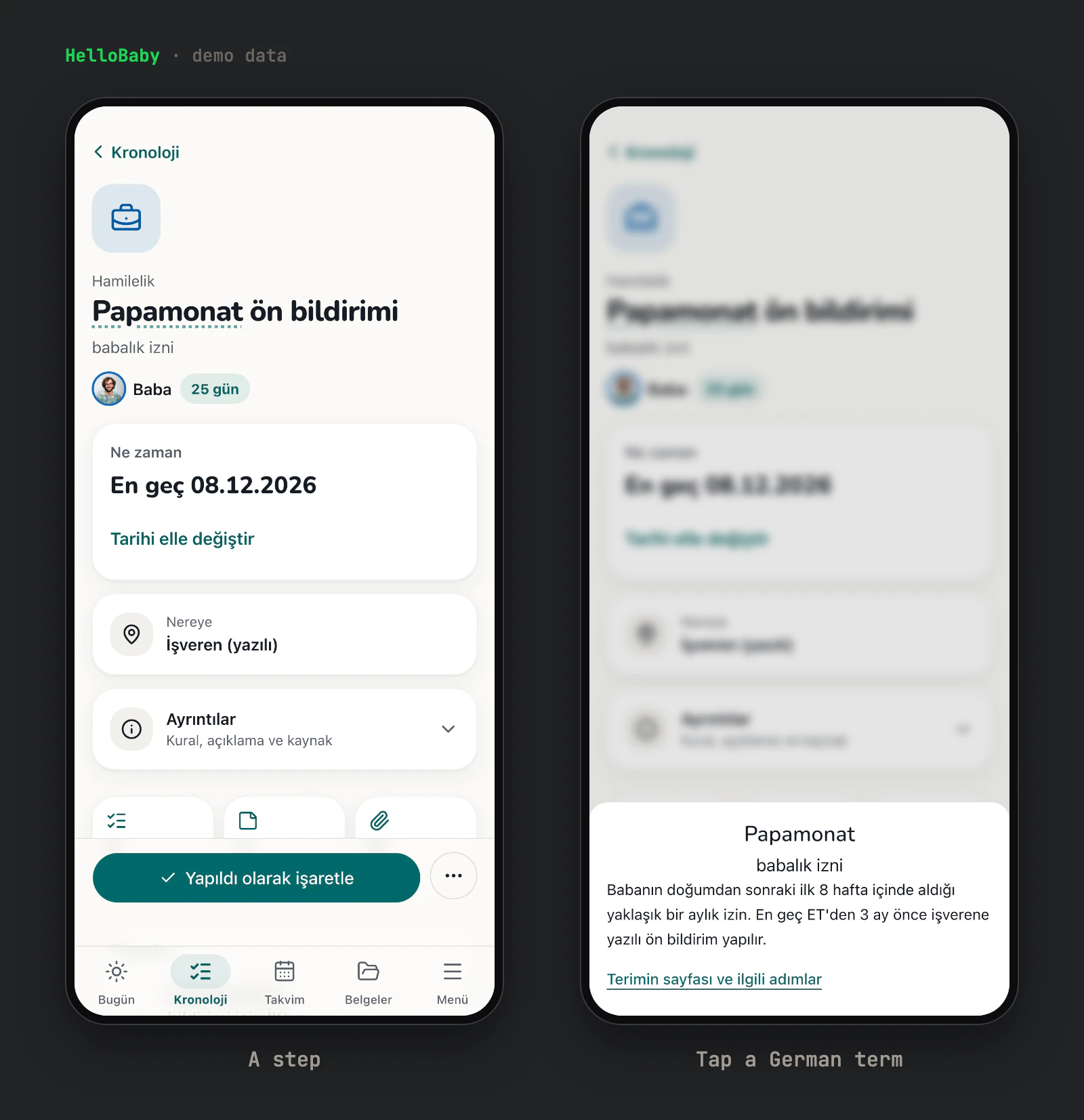
- Each step has an owner (the mother, the father or both), a category (check-up, midwife, hospital, work, money, office, course, childcare) and a status. We can add our own steps too.
- We enter the due date once and every step’s date is calculated from it. After the birth we enter the real date and everything moves. A date typed by hand always wins.
- The home screen shows the pregnancy week, the days left, how big the baby is that week, and what each of us has to do next. After the birth it switches to the baby’s age and development milestones.
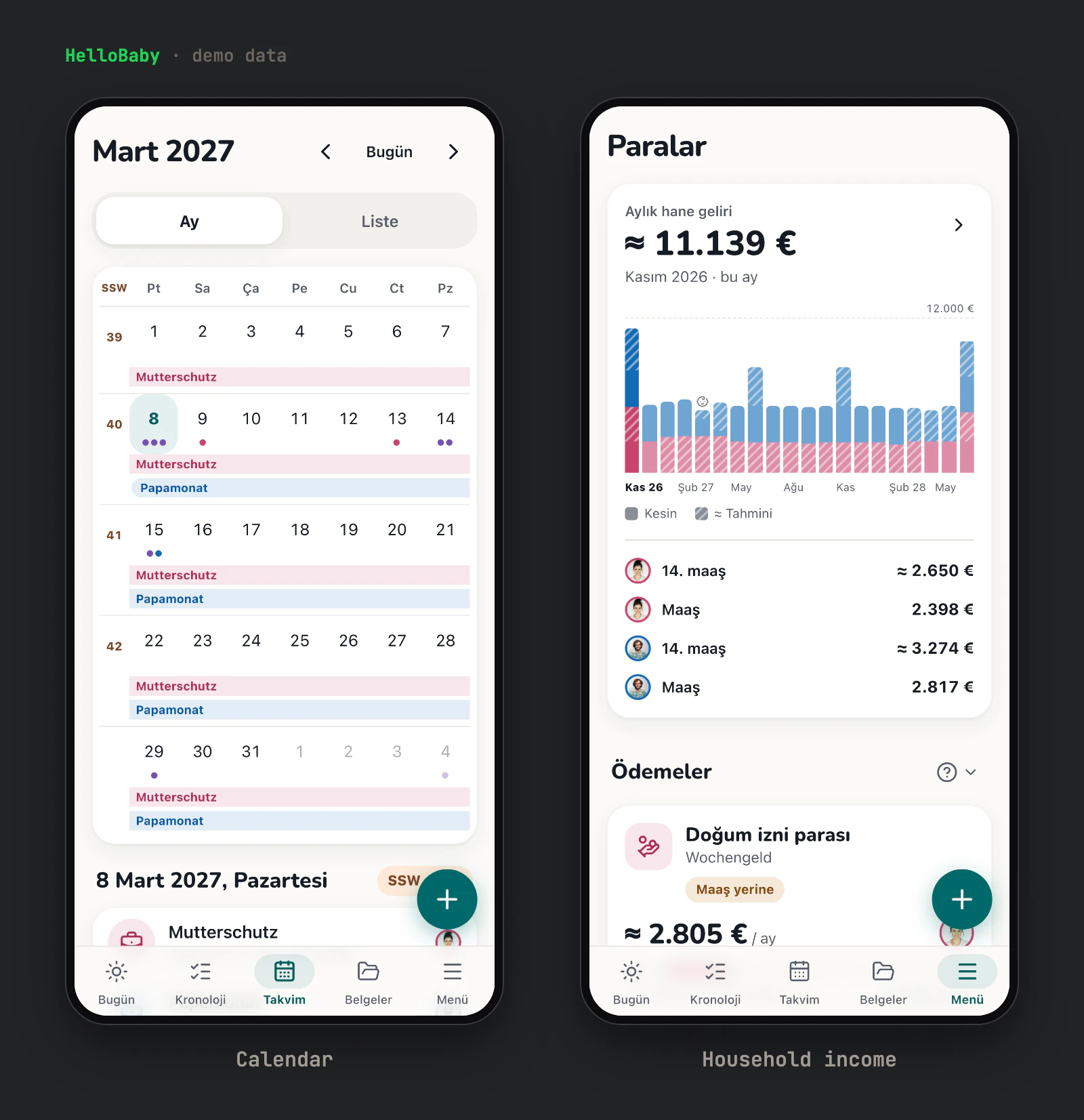
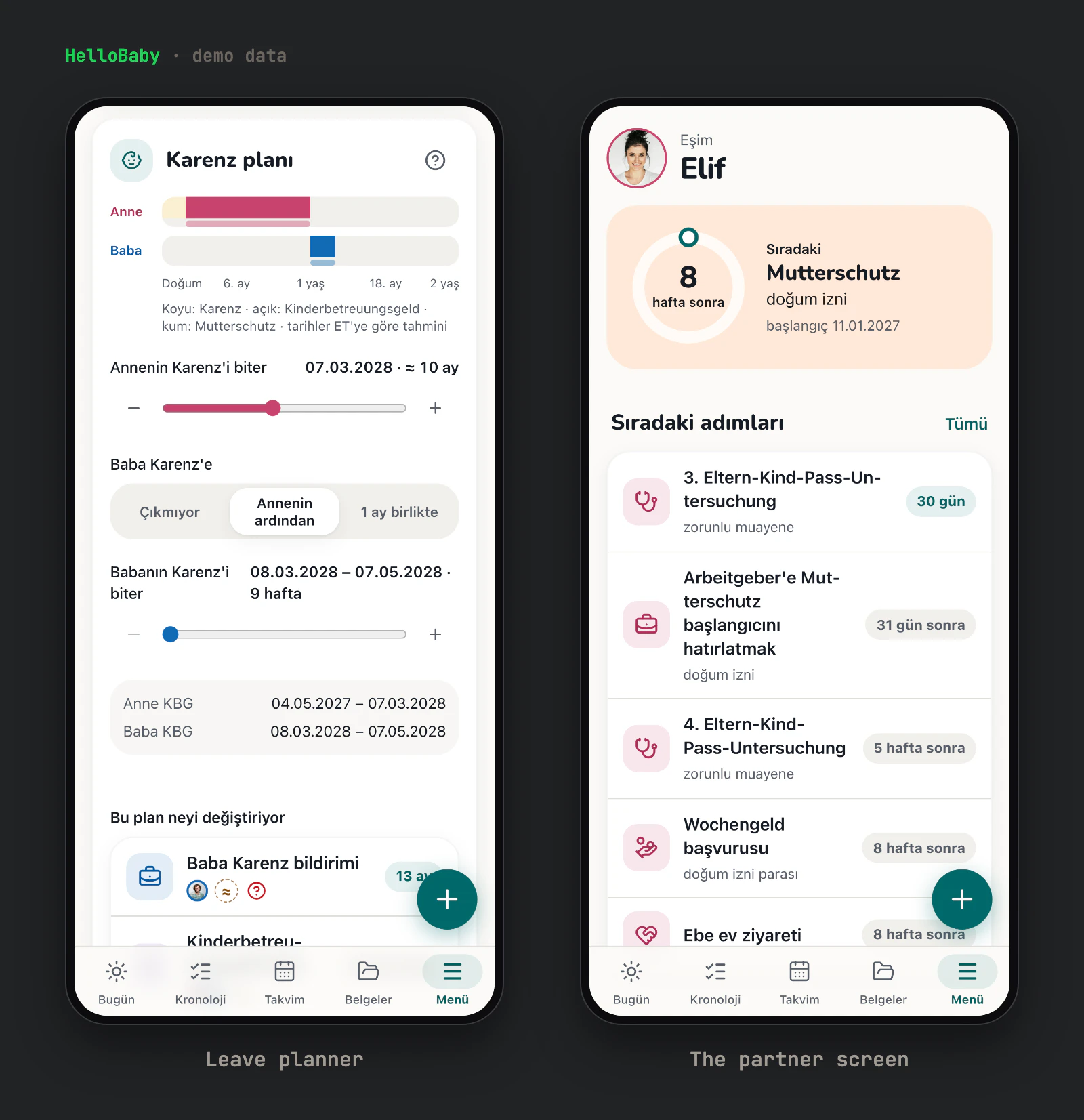
- A timeline shows the whole road phase by phase. A calendar shows the month, with the leave periods (Mutterschutz, Papamonat, Karenz) as bands.
- A leave planner with sliders lets us try how to split Karenz between us inside the legal limits, and shows which steps and payments move with the plan.
- We enter our gross salaries and it estimates the net pay with the 2026 Austrian payroll rules. Then it shows the household income month by month, with Wochengeld, Kinderbetreuungsgeld, Familienbeihilfe and the other payments. Estimated amounts stay striped until we enter the real ones.
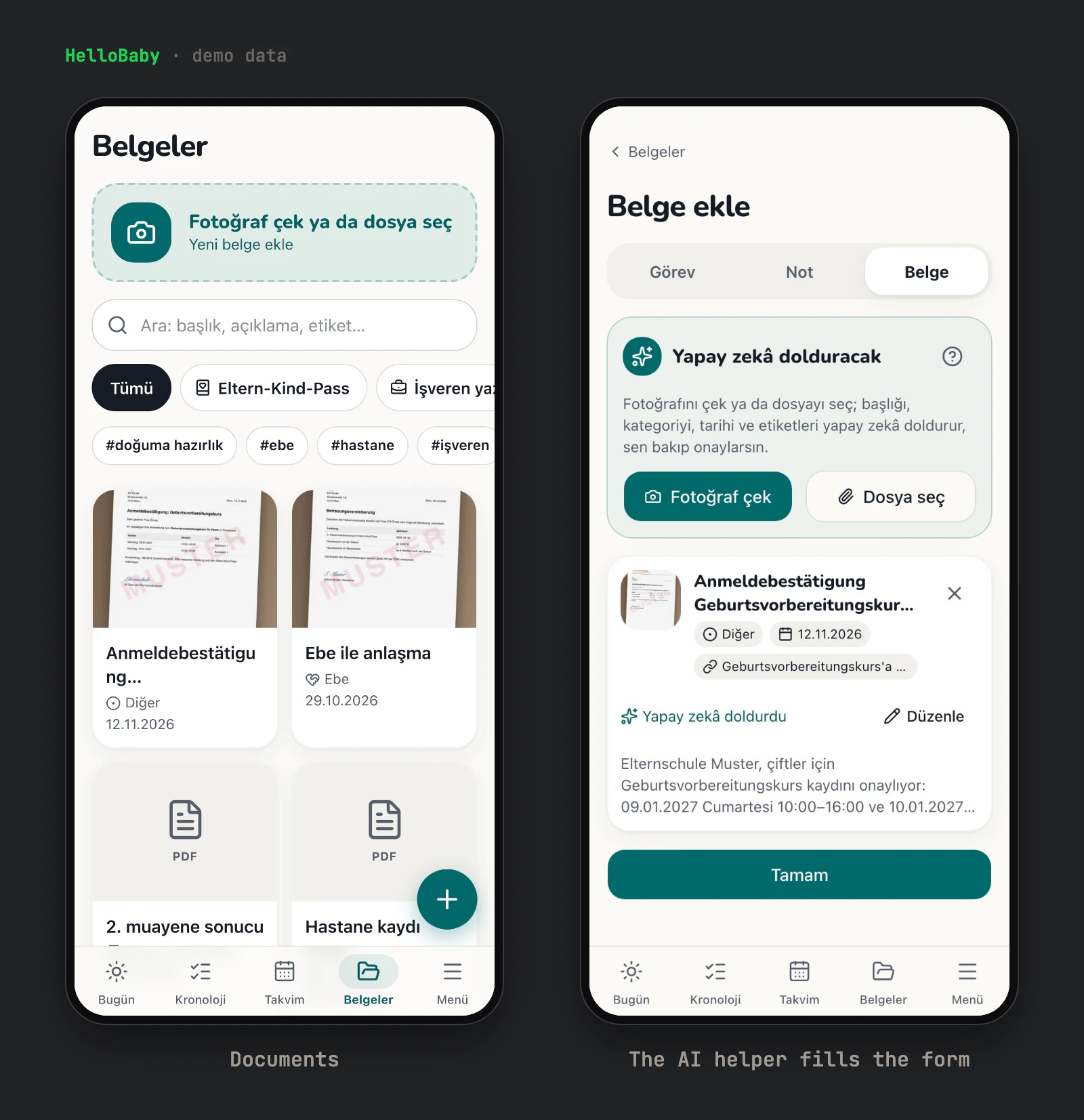
- It keeps documents: photos (HEIC from the iPhone too), PDFs and Office files, with categories, tags, search, and links to the steps and tasks they belong to. PDFs open inside the app.
- Tasks have due dates, and times for appointments. Notes can be shared or private.
- Every German term in the app can be tapped to see its Turkish meaning. The glossary starts with 48 terms and we can add more.
- There is an AI helper inside the app. I take a photo of a letter or pick a file, and it fills in the title, category, date, tags and the step it belongs to. It can also turn a sentence I type or dictate into a task or a note. It only drafts, so nothing is saved until I check it and save.
- It has an MCP server with 22 tools, so Claude can read where we are and add tasks, notes, documents and dates from a chat. Claude asks before it overwrites anything, it can’t delete anything for good, and every change it makes shows up in the activity log.
- Each of us gets a calendar subscription for Apple or Google Calendar.
- Each of us has our own view. I see my steps and my tasks, plus a screen for what my wife has coming up, and she sees the same from her side.
- Signing in takes a password and an authenticator code, or a passkey (Face ID or fingerprint). There is no sign-up page. The two accounts were created with one-time invite links.
- An activity log shows who changed what and when, and anything we delete goes to a trash we can restore it from.
- It makes an encrypted backup every night, and one button downloads all our data as a ZIP.
- It installs on the phone’s home screen like an app, and it has dark mode.
Using it for real
I’ve already started testing the app with our first check-up. I added the documents we were handed to the system, and the AI attached them automatically to the related steps on the way to the birth.
I also connected the app to Claude over MCP to keep track of appointments, and passed the information I shared straight into the app through Claude. This way both my wife and I can follow the whole process from our own profiles.
I was also curious whether the domain for HelloBaby, the name I gave the app, was available. I checked and saw that hellobaby.cc was selling for 5 dollars. That price is acceptable for a project like this, so I bought hellobaby.cc right away and moved the app there.
Open source, if I find the time
If I have more time soon, I hope to turn the app into an open source project and share it. I’m not trying to earn anything from it, but it would be nice if people had an option they could use to easily follow the process they go through for their new baby. I’m also thinking of adding language support, so more people can benefit from it.
For now I’m using it myself, and I started seeing the benefits from the first day.